Thai has five tones. Say "maa" with a high tone and you mean horse. Let it rise and you mean dog. glot.it is a Thai app for the people who trip over exactly that.
I speak several languages, and the thing that has always helped me most is tying a new word to a language I already know. But people come to a language from different places: a different first language, a different level, a different way of remembering things. Most language apps don't account for that, and they don't let you shape your own vocabulary or your own path through the course.
A memory hook in the language you already speak
Every word card in glot.it can carry a memory hint. The AI looks for a word in your language that sounds like the Thai, then builds a short scene around what the Thai word means. Set the app to Japanese and the hints come in Japanese.
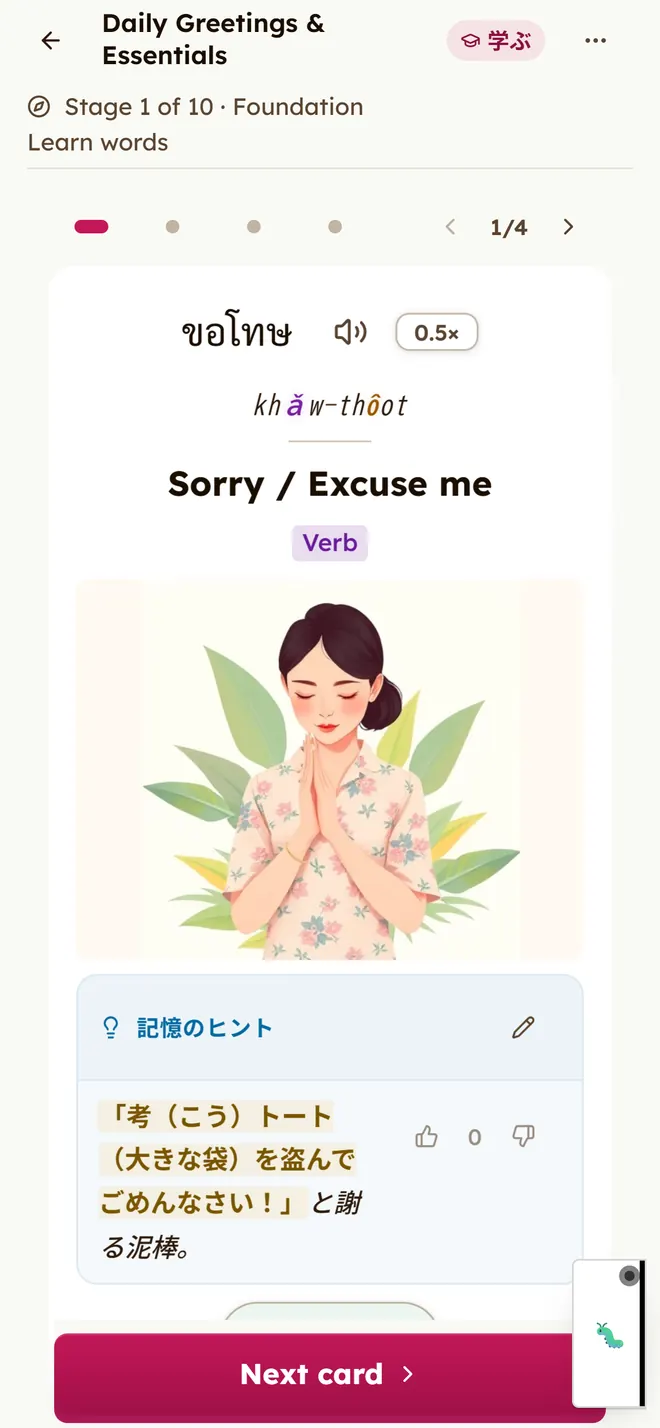
A few other things already bend to the learner:
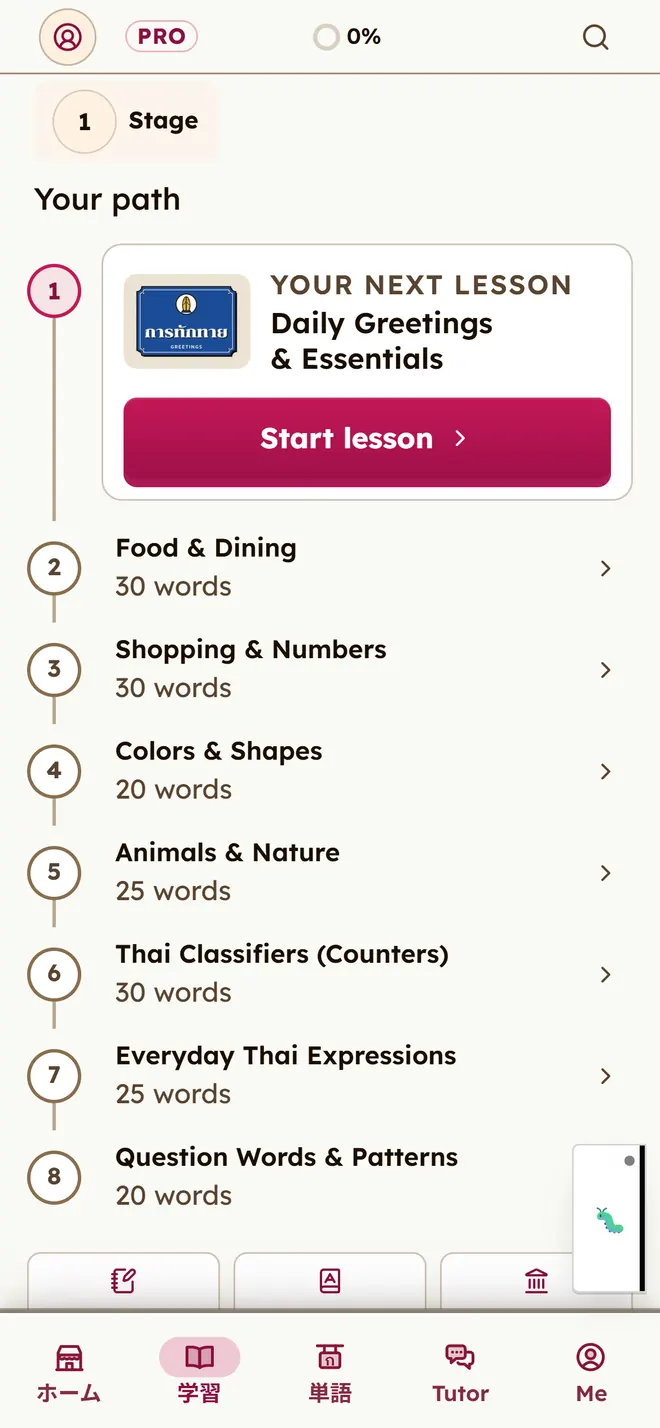
- The first eight lessons are ordered by why you're learning Thai: travel, a partner or family, work, culture, school, or just for yourself.
- The AI tutor pitches its Thai at the level you've actually shown, and if you can't read Thai script yet, it adds romanization to every word.
- The app itself comes in 19 languages.
Some of it isn't built yet. As the card above shows, word meanings are still in English, and with Japanese selected some screens stay in English too. You can't rearrange your own path yet either. Letting each learner pick their words and their route, in their own language and their own way of remembering, is where glot.it is heading.
161 lessons, the script and the tones
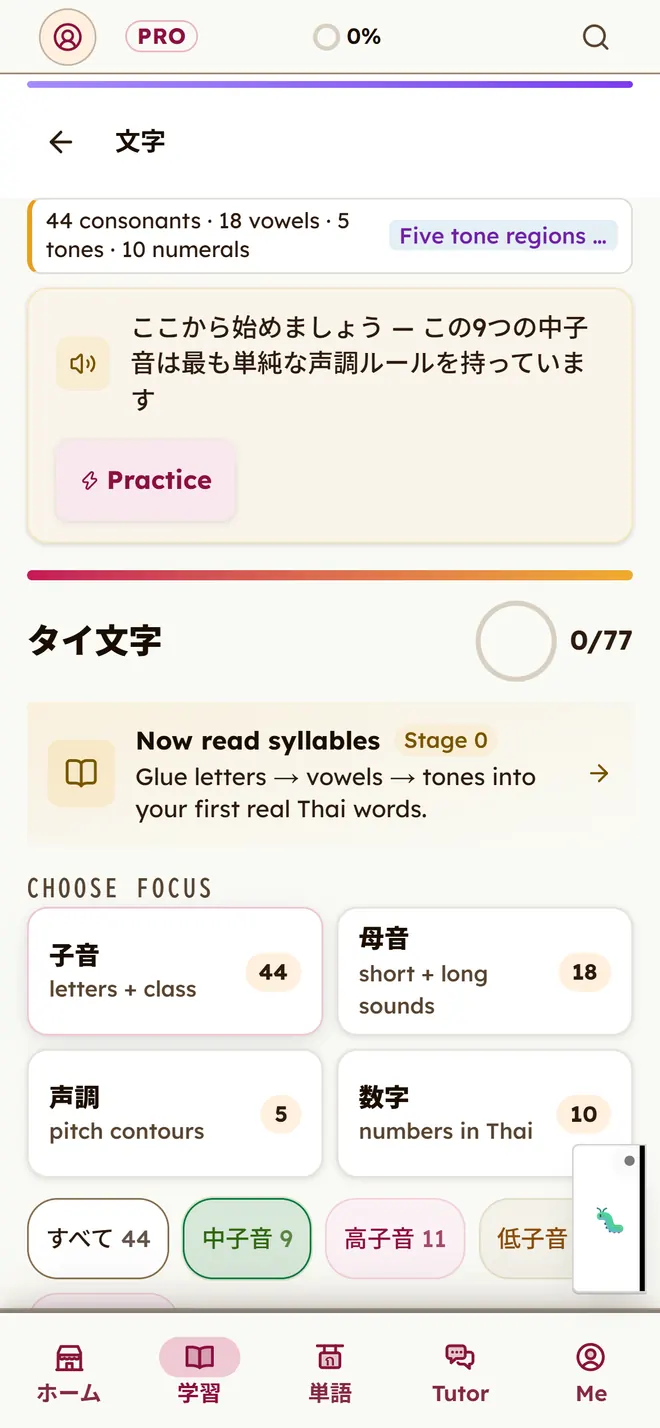
There are 161 lessons across 12 stages, with a short reading stage before them that teaches you to put letters together into syllables. The alphabet screens sort the consonants into the three classes that decide a syllable's tone, and a tone drill puts two words side by side that differ only in tone, with audio for each.
Words you meet go into a word bank and come back for review just before you'd forget them. You can add your own words and sort them into folders. For speaking, there are role-play scenarios and a voice tutor.
It's made for people starting Thai for a trip, for a Thai partner or family, or for work. You can start as a guest without making an account, in the browser or in the iPhone and Android apps.
What's free, and what Pro adds
All 161 lessons, the alphabet, the word bank and reviews are free. The AI tutor, the voice tutor and pronunciation feedback are free too, up to a daily allowance. One condition: a free account pauses after 7 days without use. Your data is kept for 90 days, and you can pick up where you left off.
Pro lifts those daily limits (the AI tutor goes from 10 to 200 turns a day) and lets you download lessons and words for offline use. On the web it costs US$6.99 a month or US$49.99 a year. In the iPhone and Android apps it's an in-app purchase, and the store shows the price for your country.