"So the launch is Friday — that's confirmed." On the Hear, Hear home page, a sample meeting types itself out line by line, each line stamped with the moment it was said.
Hear, Hear is a browser app that turns speech into timed text you can reread, note tasks from, and export. It is there so a conversation can be kept without a paid transcription account. There is no account at all: you open the page and record.

Record, reread, take it with you
In the Record room you press the red bar and talk. Text appears as you speak, in order. You can record from the mic, and in desktop Chrome and Edge also from screen audio, or both at once. In this public version a take can run up to five minutes.

When you stop, the take opens in the reader. Every line keeps its timestamp, and tapping a line plays that moment again. You can export a take as TXT, Markdown, DOCX or SRT, and the file is built in your browser. Decisions and to-dos go in the Tasks room, which you fill in yourself. The whole app switches between Japanese and English.
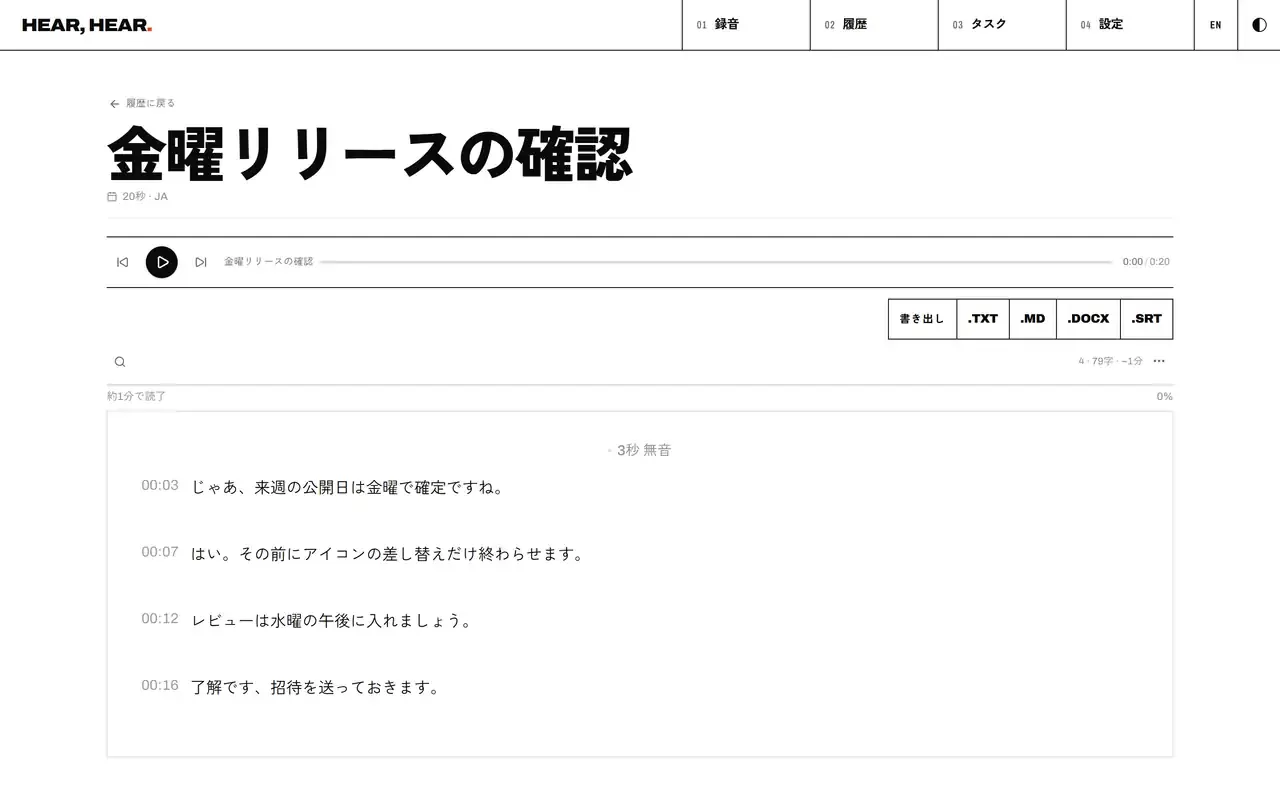
All three were captured from the demo on 2026-10-02 for the kensaur.us exhibit, with the interface in Japanese. I checked on 2026-10-16 that the live pages still read the same. The meeting and the take are sample data, not real people.
Where your voice goes
Recordings and transcripts are saved only in this browser. The app does not upload them. Live transcription, though, uses the browser's own speech recognition, and in Chrome that means your voice is sent to Google's speech service. Clearing the site's data deletes your takes. If your browser has no speech recognition, the page tells you so.
It's free
All of it is free, with nothing to sign up for and nothing to pay. This public version has no summaries, no AI-drafted tasks, no PDF export and no sync between devices.