I set up my own gōdō kaisha (a Japanese LLC) and have done everything myself since, from the registration paperwork to the monthly books. Even with accounting software open, I kept stalling on which account a transaction belonged to. I started building 一人社長 Solo Boss to cut down on those stalls, and I still use it every month for my company's books and filing prep.
From the daily books to the filing files
Solo Boss is a web workspace for people who run a company on their own in Japan. It covers the daily bookkeeping, the once-a-year close, and the files you send to the tax office and the local government, all on one screen. It is for companies (gōdō kaisha and kabushiki kaisha). It does not prepare a personal income-tax return.
- Draft entries from bank lines and receipts. Import your bank's statement file (CSV and similar) or paste the lines, and the AI drafts the journal entries: each one says which account, and how much. It also helps read receipts. You confirm every entry.
- Expense claims. When you paid a company cost from your own pocket, it turns the receipts into an expense claim.
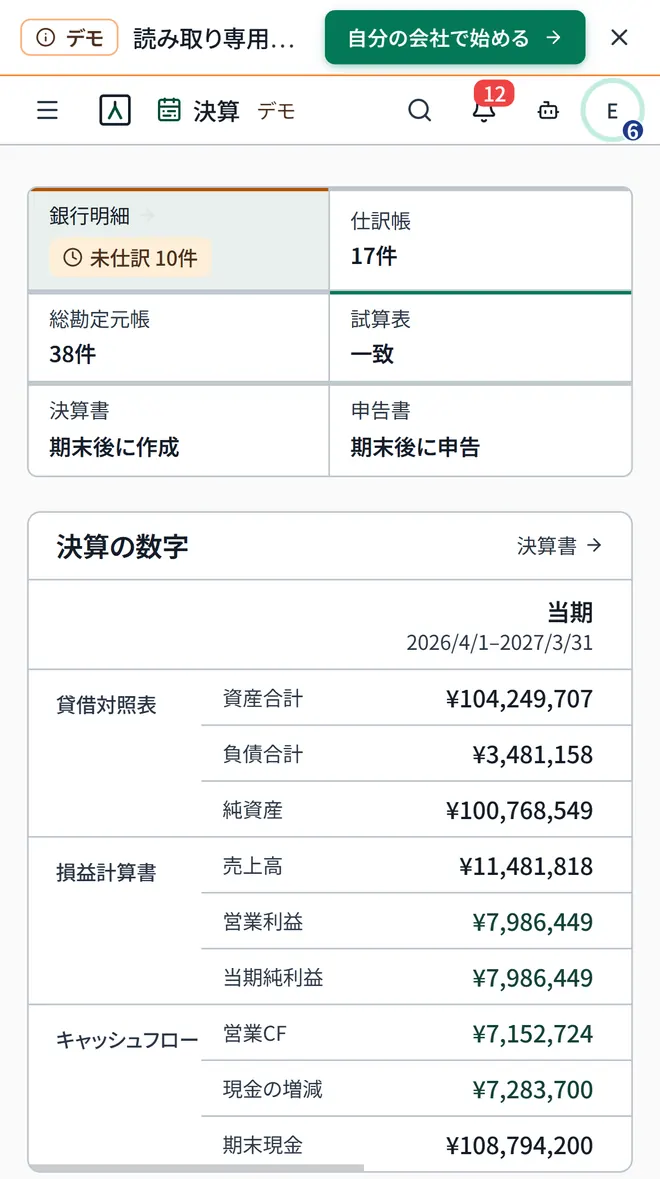
- Pre-filing check and statements. It checks the books against more than 30 rules and shows the rows and amounts to fix. It builds the balance sheet, the income statement and Schedule 4 (別表四, part of the corporate tax return) from the same numbers.
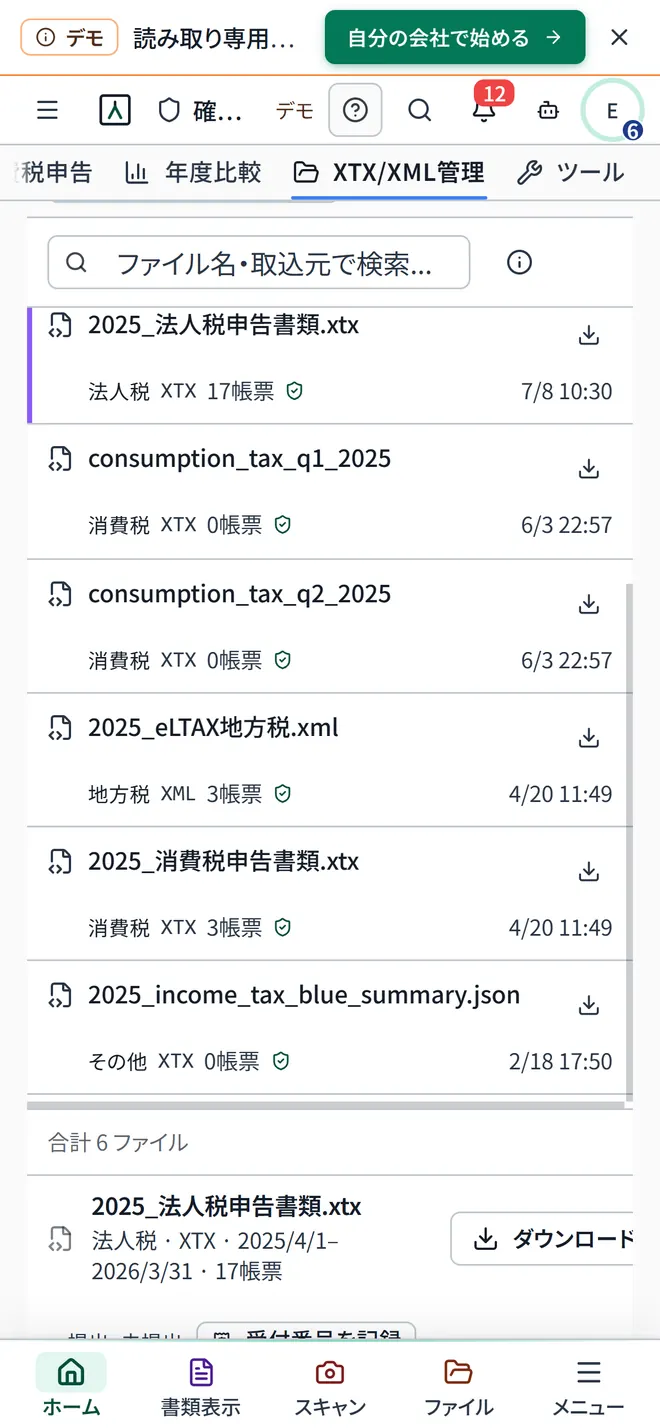
- Filing files. It writes the files for e-Tax (national) and eLTAX (local). The e-Tax .xtx file loads into the National Tax Agency's e-Tax software (web version), which sends it.
- Your tax accountant's review. You send your accountant a link with an expiry date and a password. They see the figures and the receipts behind them, and can download the ledgers, without making an account.
A typical month: import the bank lines, check the AI's draft entries one by one and approve them. At year end, fix the rows the check flags and send your accountant the review link. Then download the filing file and submit it yourself through e-Tax.
If you already keep your books in other software (Yayoi Kaikei, Kaikeiō, freee or Money Forward), you can import its journal CSV and opening balances and use Solo Boss only for the close and the filing.
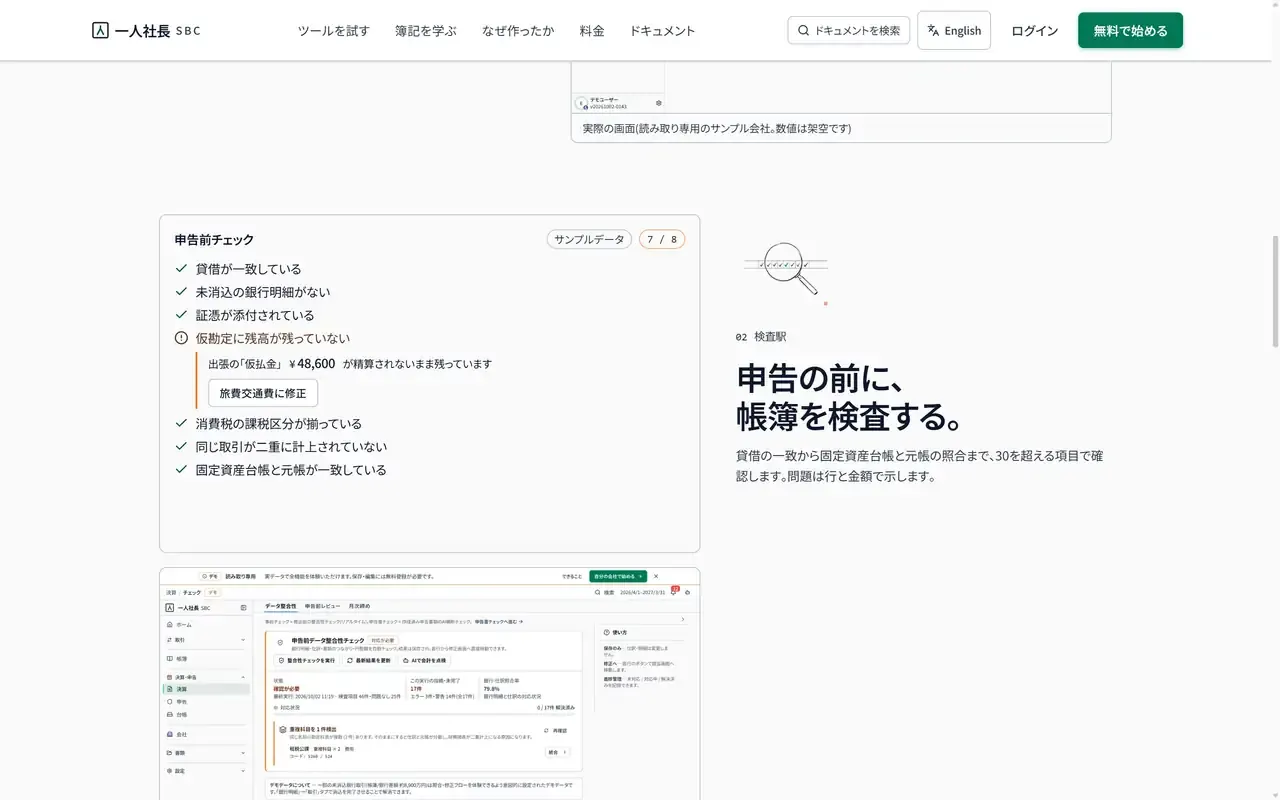
The image above is part of the home page, captured 2026-10-15. The check example is fictional data drawn on the page, and the screen under it is from the read-only sample company. You can walk through that sample company without signing up. The two below are inside it.
It got my own filing wrong
The product itself made mistakes. The AI journal assistant split tax-inclusive and tax-exclusive amounts the wrong way. Expense reports added consumption tax on top of amounts that already included it. The consumption-tax return overestimated a refund. I fixed each error I found, and I'm reviewing past returns with my tax accountant.
So I made its role plain. Solo Boss does not file for you. The AI drafts, and you confirm. Anything that needs a judgment call goes to a tax accountant, and that is what I do too.
What it can't do, and what it costs
It can't submit a return from inside the app: you send the file with the e-Tax software. It doesn't support tax audits and doesn't make tax judgments. It shows where each number comes from (a small "source chip" next to the figure), but the final check belongs to your tax accountant. It isn't finished, and I build it alone. Its home page also comes in English.
Right now every feature is free. There is no card to register, and payments are switched off. If that changes, I'll say so before it starts. The current plan is to charge only for the filing files: a filing pack at ¥19,800 per business year (tax included, one-off), with the first business year free.
The questions I got stuck on are written up in the docs, in Japanese: for example director housing and the rent-equivalent amount, and a comparison of corporate tax filing software.
If something looks wrong, or the consumption tax is handled in a way you think is incorrect, tell me. I read every report myself. For your own tax questions, please ask a tax accountant.